


A well-installed ERP changes nothing on its own. I saw it at Garcia Irrigation, an irrigation company whose work happens far from a desk: crews leaving early, customer visits, materials unloaded on site, and hours that somebody has to record.
ERPNext was installed and running. The problem was the other end: nobody working in the field is going to open an ERP in a phone browser to clock in. Attendance still arrived over WhatsApp and on paper, and closing payroll meant rebuilding it by hand.
Two pieces, not one
The answer was not a standalone app talking to an API, but two pieces that need each other:
GIESS, a custom application inside the ERP. Instead of exposing Frappe's tables as they are, it defines what an employee can see and do: their attendance, their payroll, the visits assigned to them, the material they use, the requests they submit and their manager's approvals. It lives inside the ERP, so it inherits its permissions and its rules; there is no second source of truth.
ESS Workforce, the mobile app that consumes that layer. Ionic with Vue and Capacitor, one codebase for iOS and Android, published on the App Store and Google Play.
Keeping the logic in the ERP rather than in the app has a practical consequence: when an attendance policy changes, it changes in one place and the phone respects it the next day, with no new release in the stores.
The details that decide whether it gets used
What makes a field app stick is not the big features, it is the friction you remove from the day:
- Clock-in with geofencing. The app knows whether you are inside the work area. Clock in from outside and it does not block you: it records the entry and files an adjustment request for someone to approve. Blocking a person who is genuinely working is the fastest way to lose them.
- Push notifications. A new assignment lands on the phone, not in an inbox nobody opens.
- Biometric sign-in. No one types a password wearing gloves.
- Barcode scanning and geolocation for materials and visits.
- A team feed with announcements and polls, because part of what was being coordinated over WhatsApp was exactly that, not work.
What I learned: measure adoption, not features
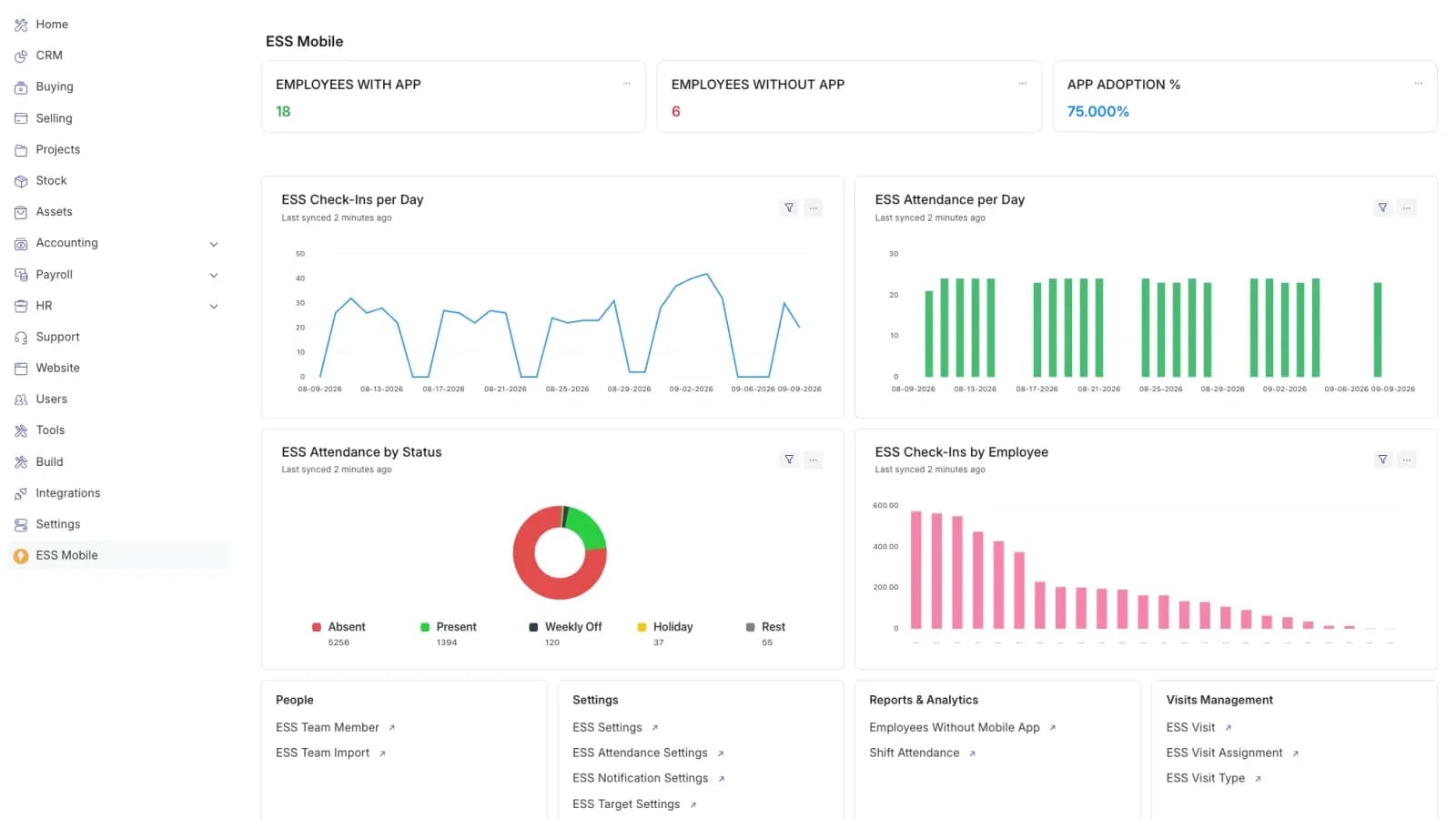
The most useful part was not a feature of the app, but a dashboard inside the ERP.
It measures three things: how many employees have the app installed, how many do not, and the adoption rate. Below that, check-ins per day and attendance by status.
When you open that one morning and see 18 employees out of 24 with the app, you know exactly what is missing: it is not more code, it is six conversations. Adoption stopped being a feeling and became a number reviewed like any other indicator.
It is the step I have seen skipped most often in projects like this. Server uptime gets measured; whether the team opened the app does not. And an ERP nobody opens is a very expensive database.